
adAway
Screenshots
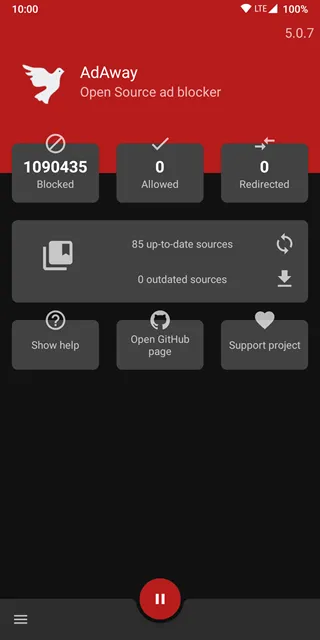
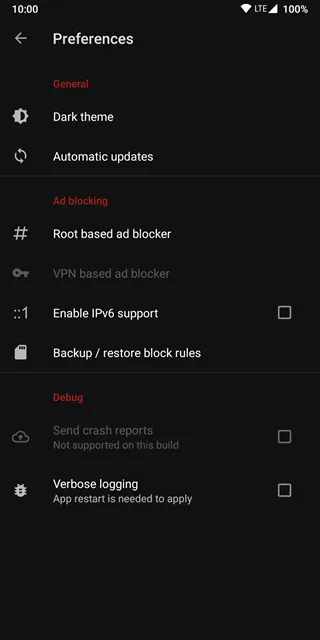
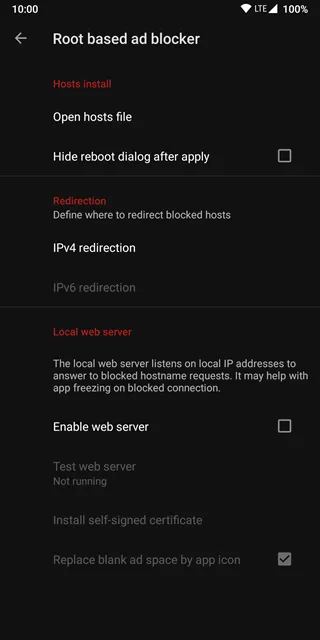
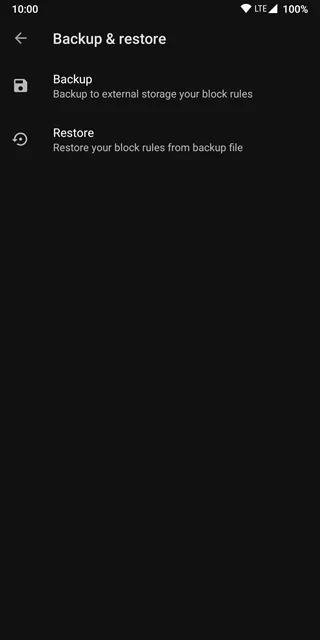
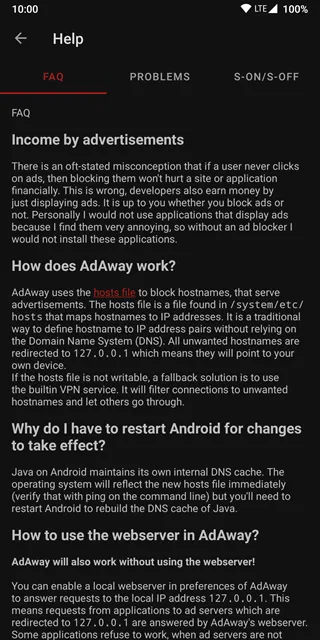
adAway offers an exceptional solution for users who want a clean mobile browsing experience. Many modern websites include heavy advertisements that disrupt your reading flow. These promotions pop up unexpectedly and block critical text on your screen. Furthermore, tracking elements monitor your personal online activities without permission. This systematic invasion of privacy slows down your entire device. Consequently, you spend more money on cellular data plans each month. Therefore, implementing a reliable block tool is highly necessary. adAway addresses these specific annoyances by filtering unwanted web traffic directly.
This tool changes the way your mobile phone interacts with remote advertising networks. Normally, a mobile browser downloads every visual piece of information from a web host. This process includes blinking banners, analytics scripts, and auto-playing videos. However, adAway blocks these elements before they can ever load. As a result, your device saves massive amounts of data bandwidth. You will experience an immediate boost in web page loading speeds. Additionally, your mobile battery will last significantly longer throughout the day. Let us explore how this utility alters your mobile environment for the better.
What Is adAway and How Does It Work?
adAway relies on a unique technique involving the system host file to manage web traffic. Every operating system contains a local host file. This internal text file maps web domain names directly to physical IP addresses. Normally, your phone contacts a domain name server to find an online location. Then, it downloads the media files from that specific server. adAway modifies this process completely. It inserts a massive list of known advertising domains into your local host file.
The software interface design provides clear visual cues for this process. When you launch the interface, you see a Welcome dashboard detailing the basic blocking functionality. When an advertisement tries to download, your phone checks the local host file first. adAway redirects the incoming request to a local loopback address. This local destination address is usually 127.0.0.1. Because this address points back to your own phone, the request goes nowhere. Consequently, the unwanted marketing content never downloads. Your screen remains completely clean and free of distractions. This method is incredibly efficient. It blocks commercial banners inside browsers and structural systems alike. Therefore, you receive comprehensive protection without running extra browser extensions.
Core Features of the Ultimate Block Tool
This filtering tool provides several customized options to enhance user control. First, it offers an automated update framework. The community developers update the master block list regularly. You can download these fresh definitions with a single tap. Then, the system applies the new rules instantly. Second, you can build custom lists to refine your blocking. These list types include:
- A personal black list for specific unwanted web tracking domains.
- A custom white list to allow necessary analytical scripts.
- A redirect list to send web traffic to specific addresses.
The white list feature is highly important for daily usage. Sometimes, strict filtering accidentally blocks essential website elements. For example, some online banking portals use tracking scripts for security verification. If these scripts fail, you cannot access your private account. However, you can add that unique domain to your white list. Then, the website functions perfectly once again. Additionally, the configuration interface remains highly straightforward. It completely avoids complex submenus. Users of all skill levels can navigate these specific options easily by tapping the main interface controls.
Why You Should Choose adAway for Your Device
adAway provides superior advantages when you compare it to standard browser filters. Most standard browser extensions only block promotions within that single browser window. If you switch to another mobile tool, advertisements reappear immediately. In contrast, adAway filters data traffic across your entire system environment. It protects your personal privacy everywhere. Many advertising networks track your exact location and reading habits silently. They compile this data to sell to large marketing corporations. adAway blocks these aggressive trackers completely.
Furthermore, removing heavy advertisements reduces your monthly data costs. Commercial banners and promotional videos contain massive file sizes. Downloading these files repeatedly wastes gigabytes of mobile data. By stopping these unwanted downloads, you preserve your limited data package. Your main hardware processor also does less computational work. Therefore, your mobile device stays much cooler during extended usage. This distinct reduction in processor load extends your overall battery lifespan. Finally, the open-source code ensures complete transparency for safety.
Root Versus Non-Root Installation Modes
You can operate this utility in two different ways depending on your system configuration. Originally, the tool required full root permissions to function. Rooting grants complete administrative access to the underlying storage system. This permission allows the tool to rewrite the internal system host file directly. This traditional root method is excellent for power management. It requires zero background processing power after the initial setup. The internal system file handles the filtering naturally.
However, many mobile users prefer not to root their personal devices. Rooting can void your official manufacturer warranty. It can also create potential security vulnerabilities if managed incorrectly. Therefore, the developers added a non-root mode to adAway. This mode creates a local Virtual Private Network connection. The system routes your data traffic through this internal network loop. Then, it analyzes the web requests locally. It drops any request that matches the block list. This method does not send your personal traffic to external servers. Your privacy remains completely secure. However, running a local network loop utilizes slightly more battery power. You can select the specific mode that fits your comfort level.
Step-by-Step Guide to Install adAway APK
Installing adAway involves a simple manual process because it is not available on official stores. You must download the installation package directly to your storage. Follow these steps to complete the installation safely:
- Download the authentic APK file from our secure download page.
- Open your mobile device main settings menu.
- Navigate to the security or safety settings submenu.
- Enable the toggle option allowing installation from unknown sources.
- Open your file storage manager and locate the downloaded file.
- Tap the installer package to initiate the setup sequence.
After the setup process finishes, open adAway from your software menu. The tool will immediately ask for your preferred operation mode. Select the root option if your device contains root access. Otherwise, choose the local VPN option. Next, tap the main check button to fetch the newest host files. The tool will merge these definitions into your system rules. If you see a status showing Disabled, simply tap the red button labeled ENABLE AD-BLOCKING. Then, reboot your device to finalize the changes properly. Your mobile device now possesses full protection against annoying banners.
Conclusion and Final Thoughts
adAway remains an exceptional choice for managing your mobile web browsing. It clears away annoying visual clutter before it can consume your screen space. Moreover, it actively defends your data from tracking companies. The flexible choice between root and VPN modes ensures accessibility for all users. You save battery power, reduce data expenses, and browse safely. Download the official APK package today. Take back complete control over your mobile monitor screen. Enjoy a faster and cleaner internet layout immediately.